Apple Pay launched in India today, 30 September 2026, and the first bank in line is Axis Bank. Which worked out very conveniently for us, because the Axis cards are ours, and they were sitting in my husband's iPhone Wallet before breakfast.
But this post is not about tapping your phone at Croma. It is about Japan, and a little green penguin called Suica. Our Japan trip was back in 2024, but the whole setup works exactly the same today, which is exactly why today's news matters.
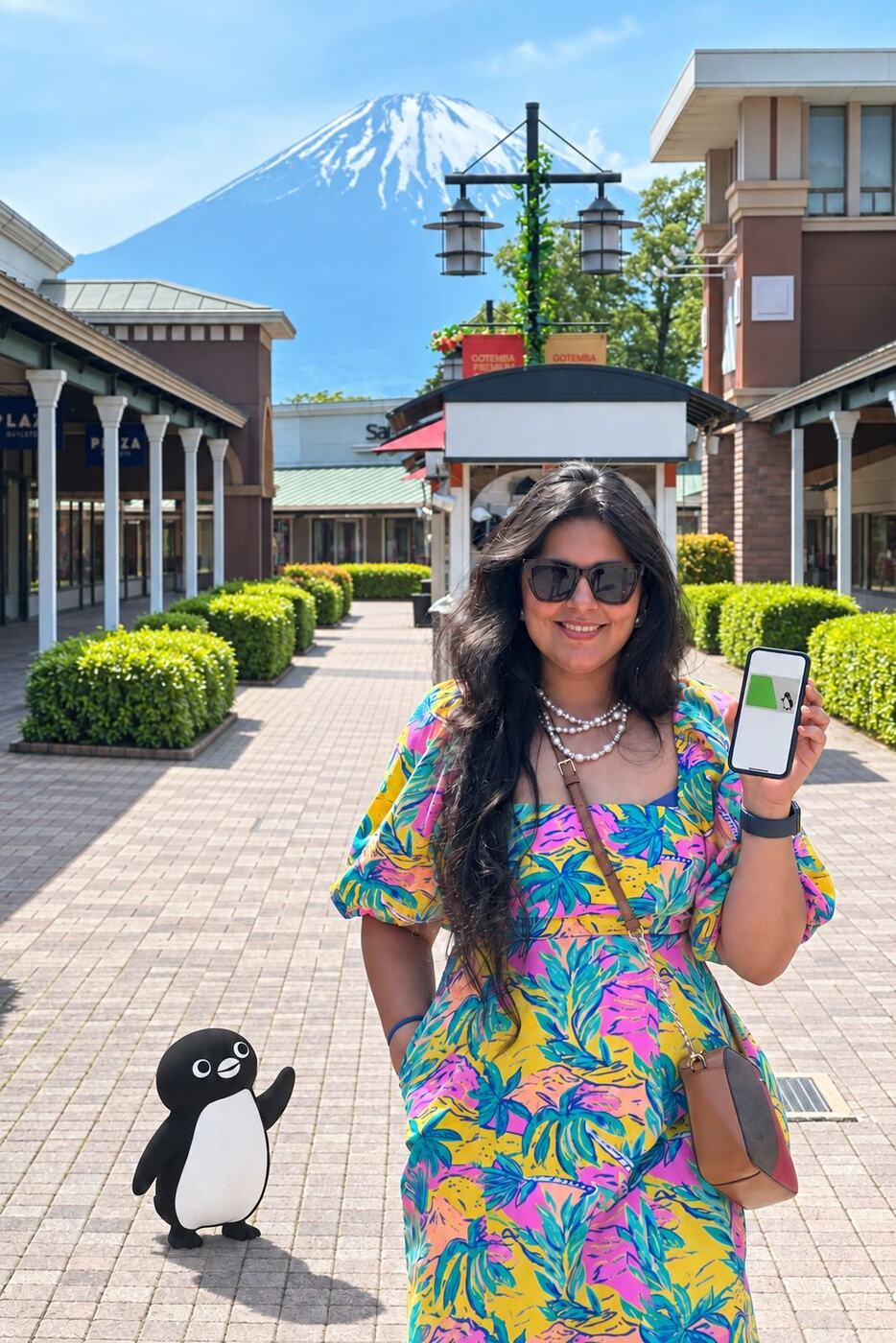
First, What Is Suica?
If you are going to Japan, the Suica card will be your best friend there. Trains, metros, konbini stores, vending machines: one tap and you are through. It is run by JR East and fronted by a smug little penguin, the only penguin alive that can survive a Hyderabad summer in your pocket.
Most people buy the physical plastic card at the airport, and it works perfectly fine. Except for one small problem: it is a card. Cards get lost. And when a Suica gets lost, the money on it walks away with it. No refund, no mercy, bas.
The iPhone Trick Nobody Tells You About
If you have an iPhone, you do not need to carry the plastic at all. Buy the physical Suica, put it flat on a table, hold the iPhone over it like you are performing a small puja, and the whole card transfers itself into Apple Wallet. Balance and all. The plastic becomes a souvenir.
Move a physical Suica into Apple Wallet
- Open Wallet and tap +
- Choose Transit Card, then Suica
- Pick the option to transfer an existing card and enter the last 4 digits of the number on the back
- Place the card on a flat surface and hold the top of your iPhone over it until the transfer finishes
- Set it as your Express Transit card, so you can tap at gates without unlocking or Face ID
After that, you cannot lose your Suica. Unless you lose your phone. But if you have lost your phone in Japan, the train card is the least of your problems, ji.
A Moment of Silence for Our Android Friends
This trick is iPhone-only, and the reason is pure hardware. Suica on Android needs a special FeliCa chip (the Japanese call it Osaifu-Keitai) that only phones sold in Japan carry. Your Indian Android, however shiny, however expensive, does not have it. No chip, no penguin. Every iPhone from the iPhone 8 onwards, on the other hand, ships with FeliCa, no matter where you bought it.
Which means at every station gate in Japan it is iPhone, iPhone, iPhone everywhere. Tap, tap, tap, through we go, while the Android people queue at the machine with their plastic cards like it is 2015. We don't make the rules. Apple just made the phone.
Can Indians Add Suica to an iPhone? Haan ji, 100%.
This is the biggest myth doing the rounds, and I want to finish it off properly. People genuinely believe a Suica cannot be added to an Indian iPhone. It can.
Yes, you may need to change one setting: Settings > General > Language & Region > Region > Japan. That is it. Two minutes, add the card, done. Change it back to India after if you like, nothing happens either way.
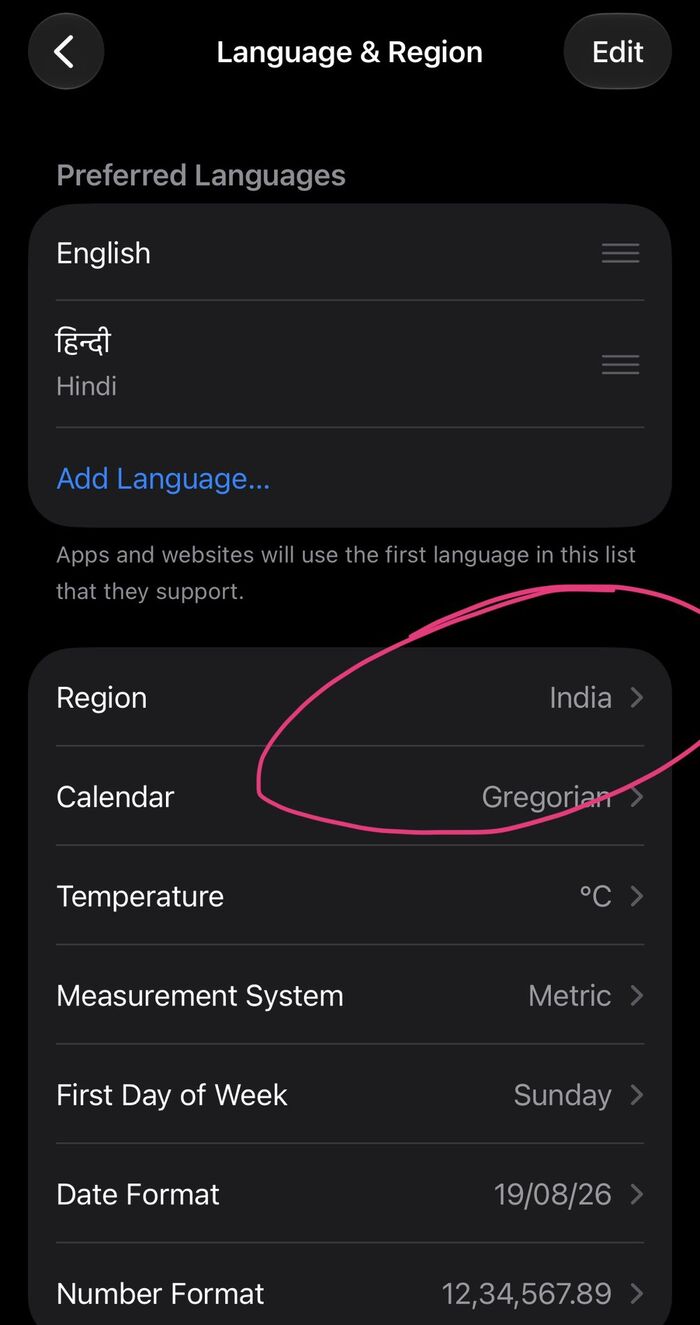
Settings > General > Language & Region: tap Region and pick Japan
On newer versions of iOS, Suica often shows up in Wallet without touching the region at all. We did it the region way and it worked, so try Wallet first and change the region only if Suica doesn't appear.
Now here is where people panic. They confuse this with changing the App Store country, and they start imagining their Apple ID breaking and their subscriptions getting cancelled. Arre, relax. Nothing is getting cancelled. Language & Region has nothing to do with your App Store login. Your subscriptions stay exactly where they are, untouched.
"What If My Phone Dies at the Gate?"
The genuinely cool part of this setup: even when your iPhone battery dies, it keeps a small power reserve, and Suica still works at the station gates for a few hours (iPhone XS and later). Trusting a dead phone at a ticket gate takes more faith than half the weddings we have attended, but that is how Apple built it.
The Spend History: Plastic Could Never
Every tap is recorded in Wallet. Every train ride, every vending machine coffee, every konbini run. The physical card shows you nothing, it is a dumb piece of plastic. The digital one tells you exactly where the money went.
Two years later, ours still reads like a little diary of the last days of the trip: Namba to Kintetsu-Nara and back for the Nara deer (¥680 each way), two cash top-ups in Osaka, ¥970 on the train from Namba to Kansai airport on our way home, and one final ¥800 purchase near the airport before we flew out. Which, between us, was probably snacks.
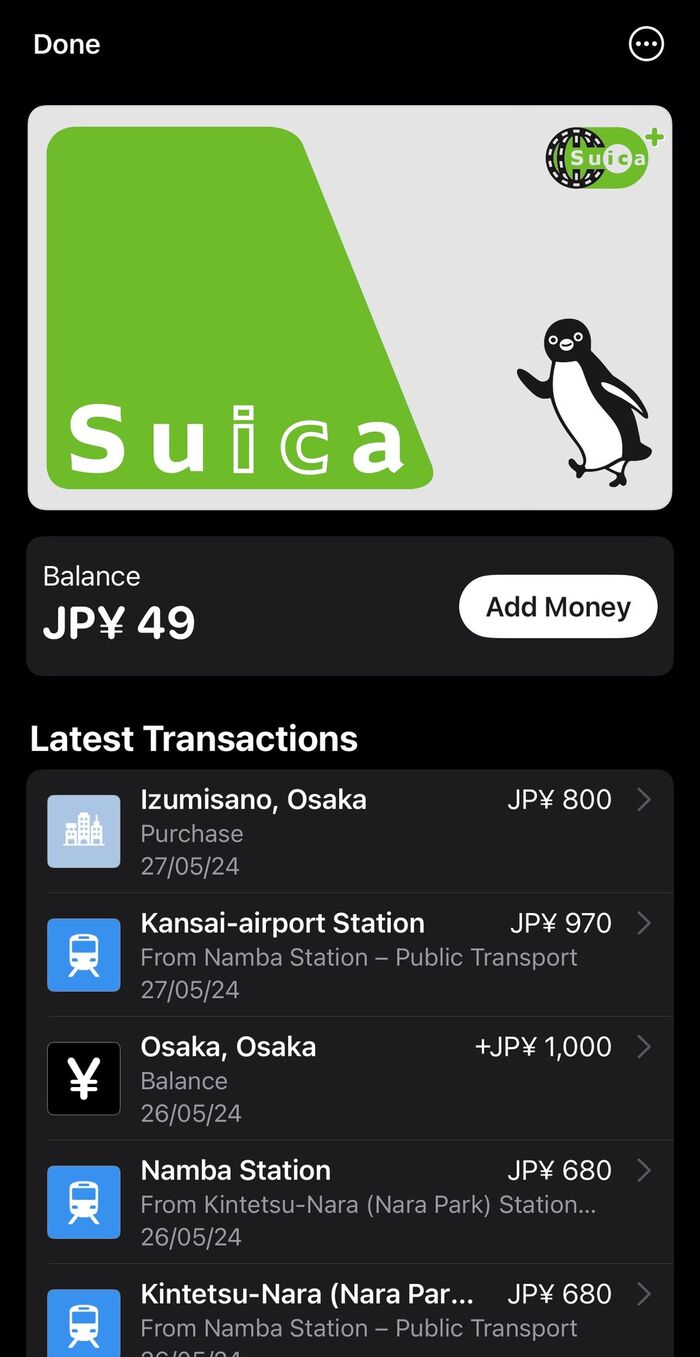
Our Suica in Wallet: every ride and every top-up from May 2024, still there
The Honest Downside: Cash Top-Ups
It is not perfect. In Tokyo, the station machines let you top up by scanning your credit card, easy. But in Kyoto and Osaka, where we spent most of our time, topping up meant walking into a 7-Eleven, Lawson or FamilyMart and handing over cash. ¥1,000 here, ¥2,000 there (you can see them in the screenshot above). In 2024. In Japan. The land of robot toilets still wanted cash for our train card.
Why Today's Apple Pay Launch Changes This
Until today, Apple Pay did not exist in India, so Indian cards could not sit in Wallet, and topping up Suica from your phone simply was not possible. That changes today. With Apple Pay live and Axis Bank first on board (Visa and Mastercard credit cards at launch), an Indian card can top up a Suica directly in the Wallet app. No konbini cash runs, no hunting for the one machine that takes cards.
Full honesty, because we tested this on launch day itself: Suica top-ups in Apple Wallet start at ¥1,000, so my husband's first brave attempts at ¥10 and ¥100 were doomed before they began. Below the minimum, declined at the double-tap. Also, our Suica was sitting at ¥49 at the time, which in Japan buys you exactly one judgmental stare from a vending machine.
So on went the real test: ¥1,000, on our Axis Magnus Mastercard, all the way to the Apple Pay confirm sheet. Here is exactly how it looked on my husband's iPhone.
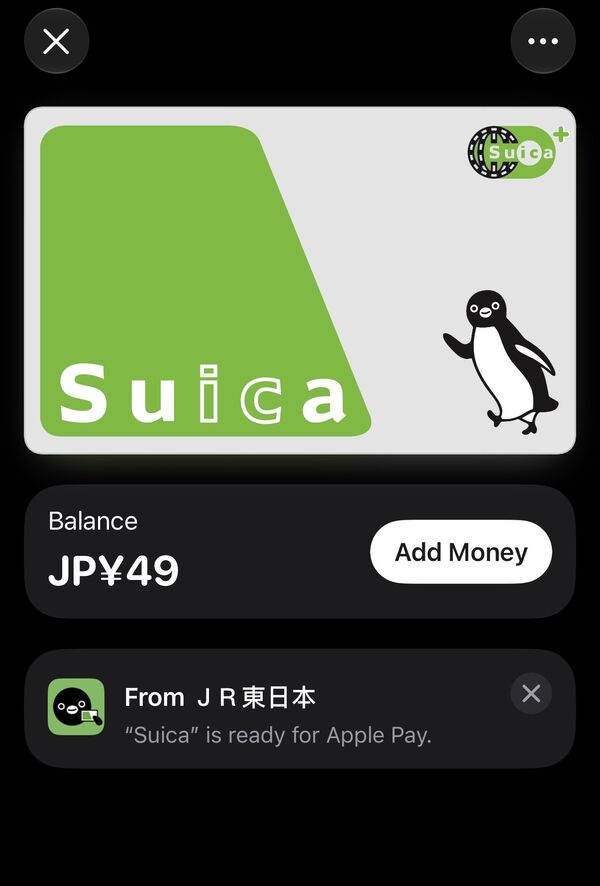
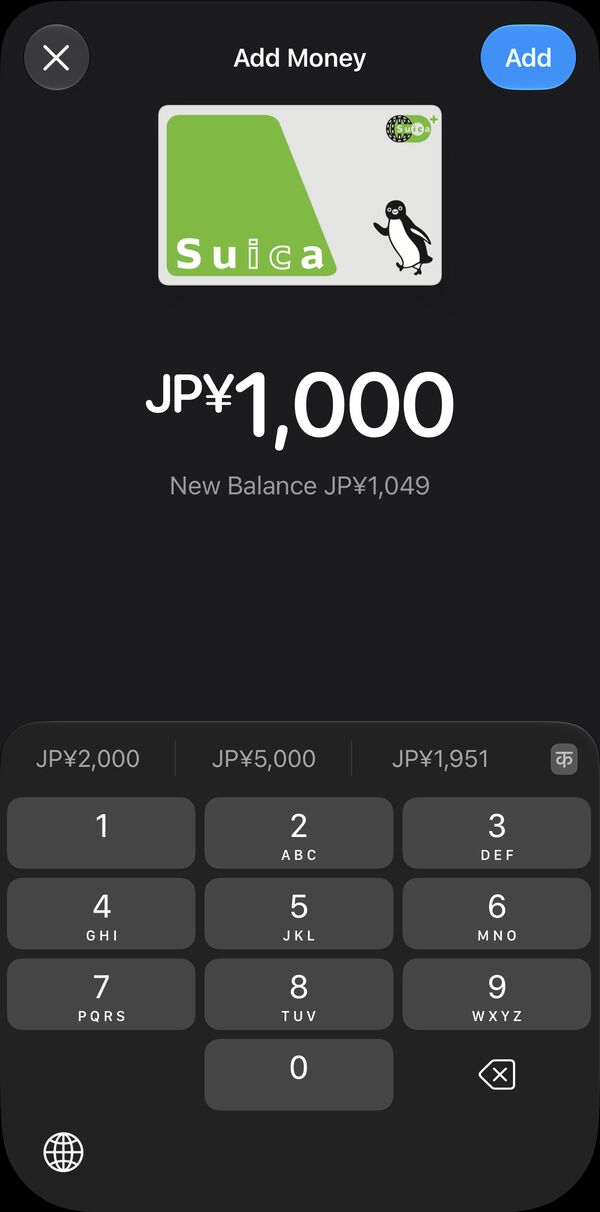
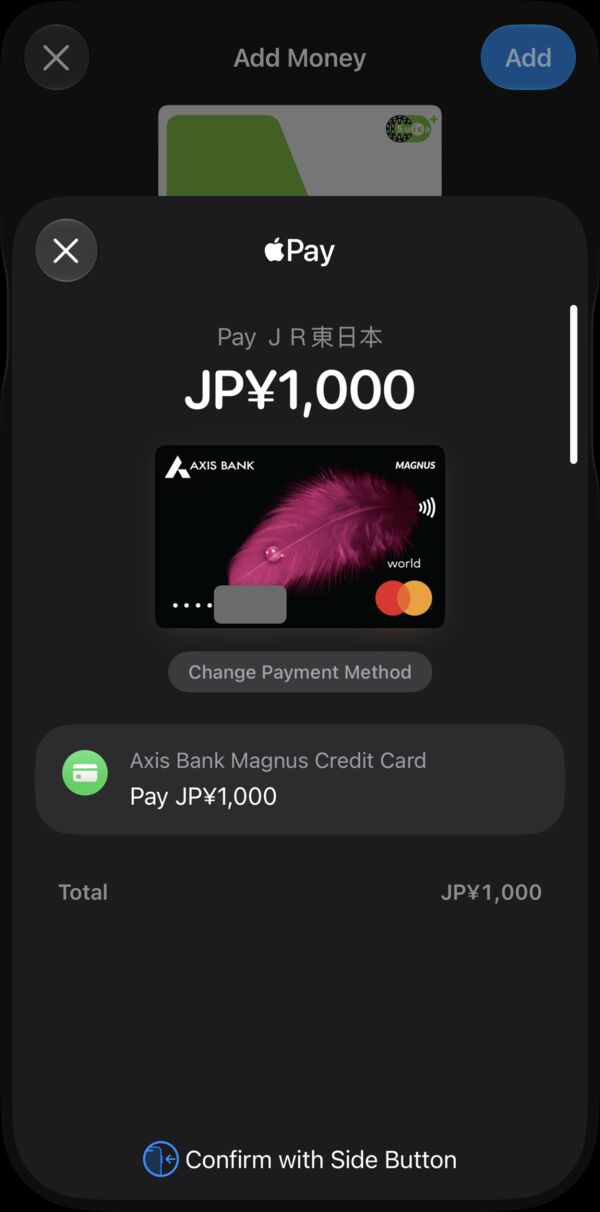
Launch day, 30 September 2026: topping up our Suica from India with an Axis Bank card
💳 Suica top-up tips for Indian cards
- Minimum ¥1,000 per top-up in Apple Wallet (cash at station machines and konbini starts at ¥500)
- Maximum balance ¥20,000, so top up little and often, not once and fat
- Use a Mastercard if you can. Foreign-issued Visa cards are frequently blocked for Suica top-ups (a Visa network rule, not your bank)
- Turn on international usage in the Axis app before you try, since the payment goes to JR East in Japan
The Bottom Line
Planning Japan? Do the Suica-on-iPhone setup as soon as you land: buy the physical card, one scan, done. And if you have been waiting for Apple Pay in India, it is here, Axis Bank first, and it just made your Japan trip a little bit easier. If you're heading towards Mt Fuji, here is the Hakone Airbnb we loved, 20 minutes from those Gotemba views in the photo above.